
Now liveHaltH

    Medicare claiming
    on HaltH

    Medicare claiming built into HaltH payments for Australian allied health and medical practices. Submit eligible rebates alongside the patient payment, in the same flow.

    Book a demo

    Claim Medicare in-flow

    Confirm the patient’s Medicare details, any referral and the eligible MBS item, then submit the rebate alongside payment. Correct details help avoid preventable rejections; claim acceptance and payment remain subject to Medicare’s requirements.

    • Confirm Medicare details and referral requirements
    • Select the eligible MBS item and take payment
    • Submit the claim in the same HaltH flow
    Book a demo

    On the go, or inside your PMS

    Bring payments and eligible Medicare claiming into your existing practice workflow, on HaltH Tap or with HaltH Extend inside a supported PMS. Contact us to confirm your practice’s setup.

    HaltH Tap

    Claim on the go

    Bring payment and eligible rebate submission together on your phone or tablet, at the desk, in the treatment room or on a home visit. Confirm the patient’s Medicare details and eligible service before submitting the claim.

    See HaltH Tap

    HaltH Extend

    Claim inside your PMS

    HaltH Extend brings payments and claiming into the practice management software you already run. Keep eligible Medicare rebate submission connected to the patient’s record in a supported PMS, rather than a separate payment workflow.

    See HaltH Extend
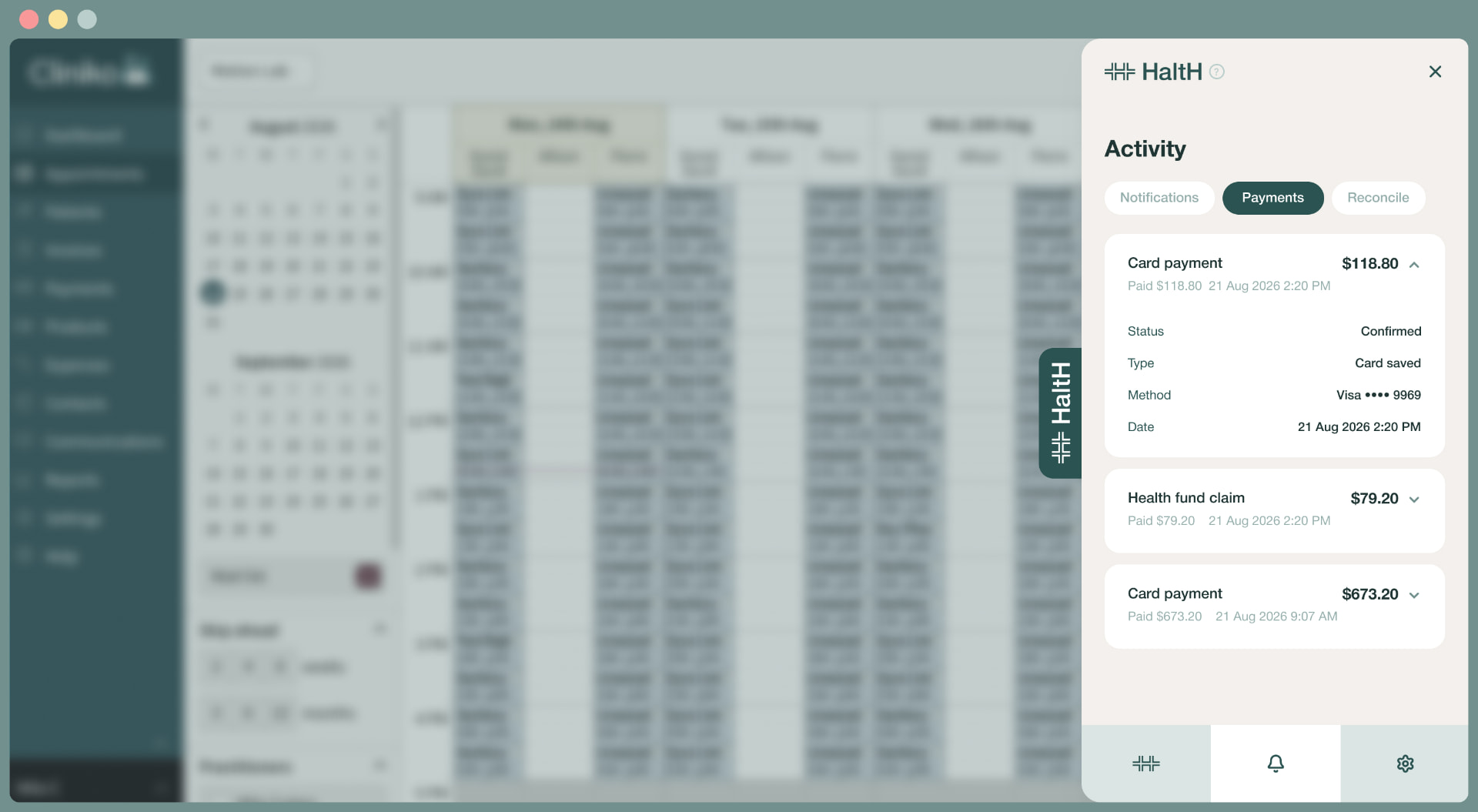

    HaltH Extend showing payments activity inside Cliniko

    Medicare + DVA + Private Health Insurance.
    On HaltH.

    Connected health funding, payments and claims for Australian practices — with less switching between systems for eligible patient care.

    Bupa logoMedibank logonib logoahm logoTeachers Health logoHBF logoQantas Insurance logoCBHS logoSuncorp logoQueensland Country Health Fund logosee-u by HBF logoWestfund logoTUH Health Fund logoAAMI logoPhoenix Health Fund logoUni Health logoUnion Health logoGMHBA logoHealth Care Insurance logo
    MedicareDepartment of Veterans’ Affairs

    FAQ

    Medicare claiming depends on your practitioner registration, provider number, the MBS item and the patient’s eligibility. Allied health referrals under GP Chronic Condition Management Plans (previously Chronic Disease Management) and Better Access mental health services have their own requirements. Contact us to confirm whether HaltH supports your practice and claiming workflow.

    You need the patient’s correct Medicare details to submit an eligible claim. Confirm those details with the patient, along with any referral requirements, before claiming. Contact us for guidance on the details needed in your HaltH workflow.

    HaltH supports submitting an eligible Medicare rebate alongside the patient payment. Submission at the point of payment does not guarantee an immediate bank deposit: Medicare processing and the patient’s registered bank details affect payment timing. Contact us for guidance on claim status and your practice’s workflow.

    With patient claiming, the patient pays the practice and Medicare pays an eligible rebate to the patient’s registered bank account. With bulk billing, where applicable, the patient assigns their Medicare benefit to the practitioner as full payment for the eligible service. Contact us to confirm the claiming options supported for your practice on HaltH.

    HaltH connects with existing practice management software, and HaltH Extend brings payments and claiming into supported PMS workflows. Medicare claiming availability can depend on your software and practice setup. Contact us to confirm compatibility with the PMS you already use.

    Contact us to confirm the costs that apply to your Medicare claiming and payment workflow. We can explain the applicable pricing before you get started.

    Ready to claim Medicare on HaltH?

    Book a demo